Create a Detail View
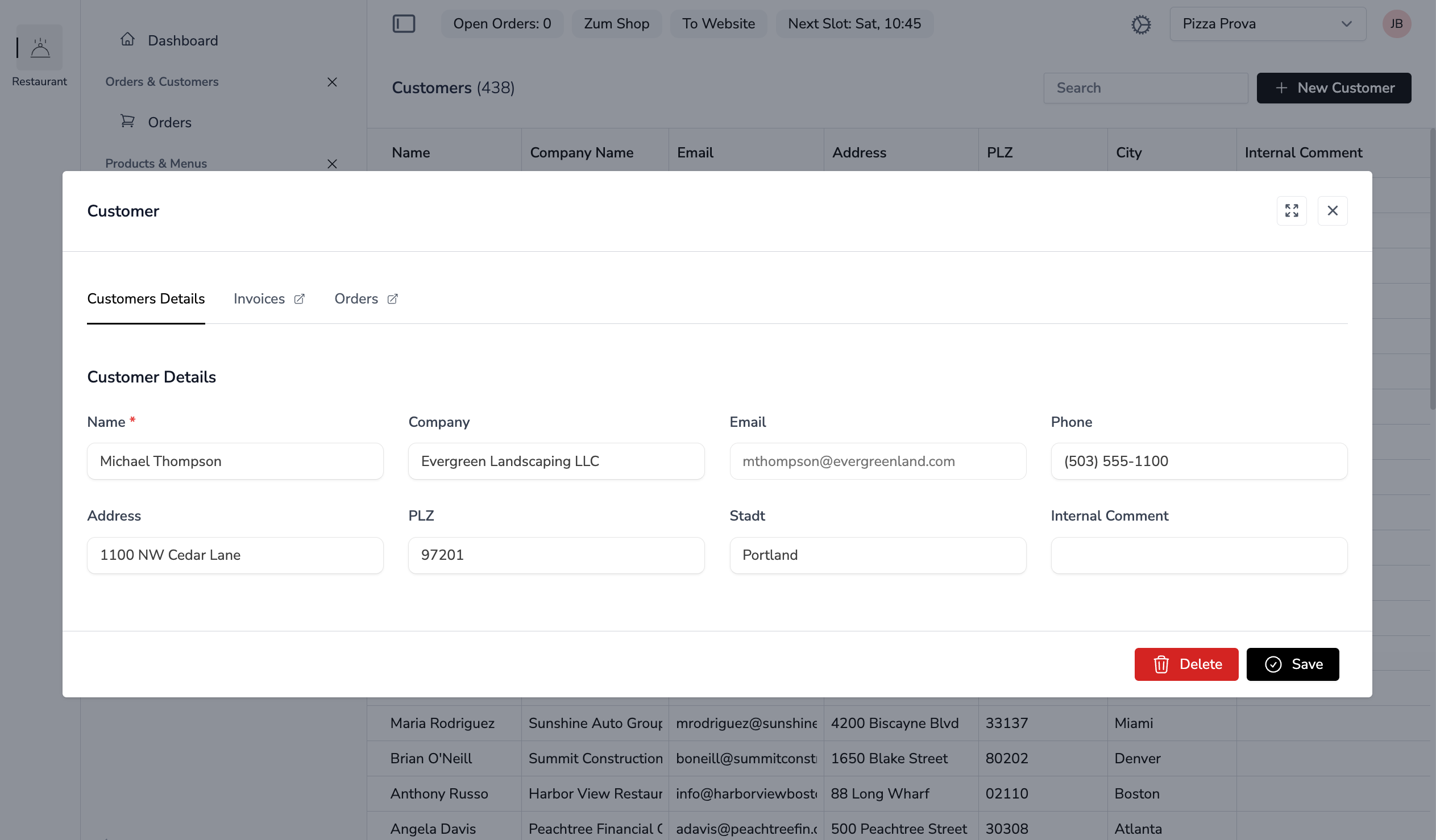
Detail pages display and edit individual records with forms.
File Locations
YAML Configuration:
app-configs/{app}/details/{name}-detail.ymlLivewire Component:
app-modules/{module}/resources/views/components/⚡{name}-detail.blade.phpYAML Configuration
Example: app-configs/accounting/details/customer-detail.yml
title: Customer Details
description: ''
tabs:
  - number: 1
    label: Master Data
  - label: Invoices
    component: invoices-list
    arguments:
      customerId: $customerId
    requiresId: true
fields:
  - name: detailData.name
    label: Name
    type: text
    required: true
  - name: detailData.company_name
    label: Company Name
    type: text
  - name: detailData.email
    label: Email
    type: text
  - name: detailData.phone
    label: Phone
    type: text
  - name: detailData.address
    label: Address
    type: text
  - name: detailData.zipcode
    label: Zip Code
    type: text
  - name: detailData.city
    label: City
    type: text
Detail Properties
| Property | Description |
|---|---|
title |
Page title (translation key) |
description |
Optional description text |
tabs |
Array of tab definitions |
fields |
Array of form field definitions |
Tab Properties
| Property | Description |
|---|---|
number |
Tab index (1-based) |
label |
Tab label (translation key) |
component |
Embedded Livewire component |
arguments |
Arguments passed to embedded component |
requiresId |
Only show tab when editing existing record |
Field Properties
| Property | Description |
|---|---|
name |
Property path (e.g., detailData.name) |
label |
Field label (translation key) |
type |
Field type (text, textarea, checkbox, relation, etc.) |
required |
Mark field as required |
colspan |
Grid column span (1-12) |
tab |
Tab number (defaults to 1) |
Livewire Component
Example: customer-detail.blade.php
<?php

use Livewire\Component;
use Noerd\Traits\NoerdDetail;
use Nywerk\Customer\Models\Customer;

new class extends Component {
    use NoerdDetail;

    public const DETAIL_CLASS = Customer::class;

    public function store(): void
    {
        $this->validateFromLayout();

        $this->detailData['tenant_id'] = auth()->user()->selected_tenant_id;
        $customer = Customer::updateOrCreate(['id' => $this->modelId], $this->detailData);

        $this->showSuccessIndicator = true;

        if ($customer->wasRecentlyCreated) {
            $this->modelId = $customer->id;
        }
    }

    public function delete(): void
    {
        $customer = Customer::find($this->modelId);
        $customer->delete();
        $this->closeModalProcess($this->getListComponent());
    }
}; ?>

<x-noerd::page :disableModal="$disableModal">
    <x-slot:header>
        <x-noerd::modal-title>Kunde</x-noerd::modal-title>
    </x-slot:header>

    <x-slot:footer>
        <x-noerd::delete-save-bar :showDelete="isset($modelId)"/>
    </x-slot:footer>
</x-noerd::page>
Key Concepts
- Trait:
NoerdDetailprovides$detailData,$modelId,$pageLayout, and helper methods - Constant: Only
DETAIL_CLASS = Model::classis required - Properties:
$detailData(array) for form binding,$modelId(from trait) for the record ID - mount(): Handled by the trait automatically - no need to define it
- validateFromLayout(): Validates against YAML-defined rules
- $this->getListComponent(): Automatically determines the associated list component
- The Eloquent model is never stored as a component property
Naming Conventions
- Lists:
{plural}-list.blade.php(e.g.,customers-list.blade.php) - Details:
{singular}-detail.blade.php(e.g.,customer-detail.blade.php) - Components must be placed directly in the
components/folder, not in subfolders
Next Steps
- Components - Learn about available UI components
- YAML Configuration - Deep dive into YAML options
- Creating Modules - Build independent modules