Create a List View
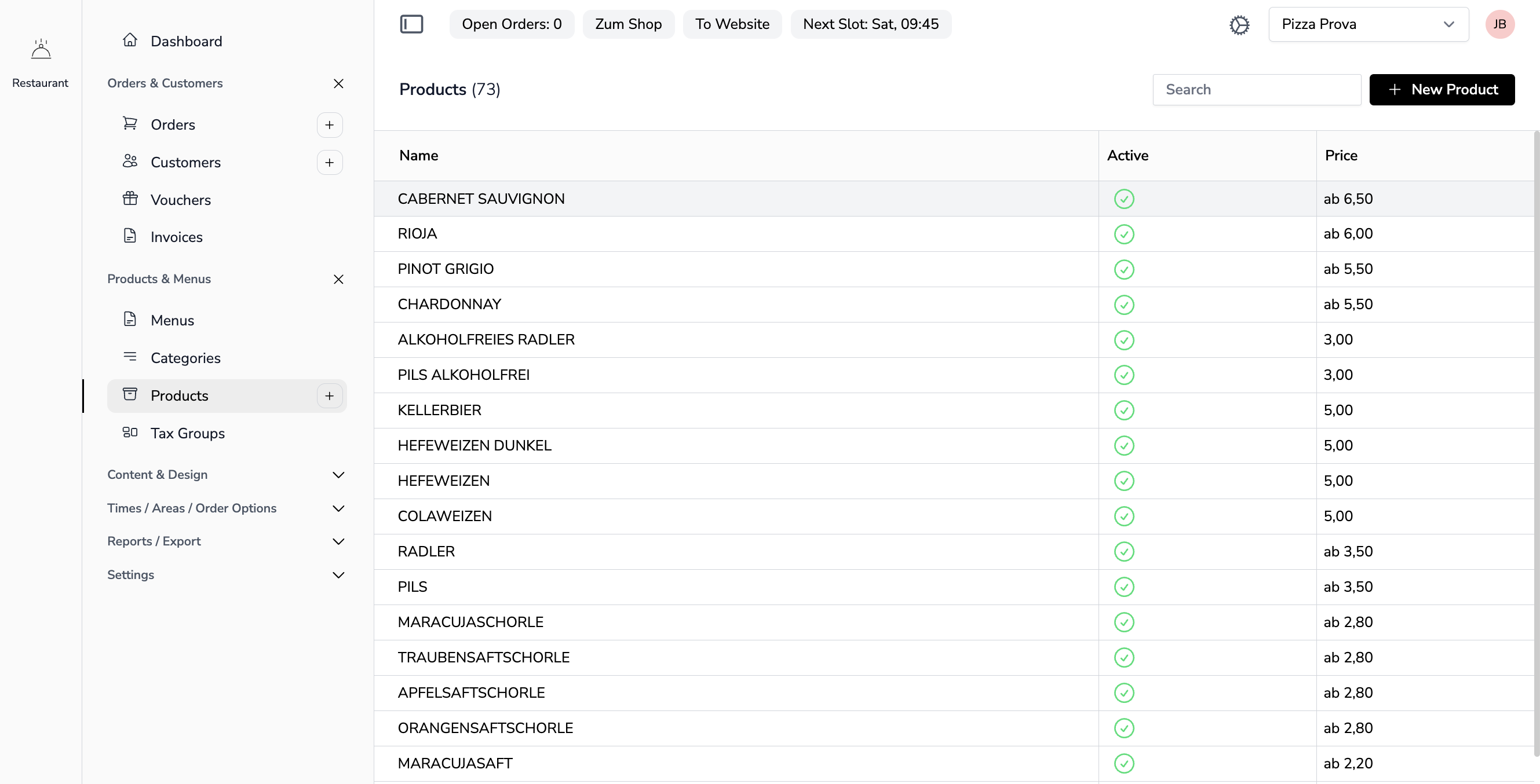
Lists display data in a table format with search, pagination, and actions.
File Locations
YAML Configuration:
app-configs/{app}/lists/{name}-list.yml
Livewire Component:
app-modules/{module}/resources/views/components/{name}-list.blade.php
Example YAML Configuration
Example: app-configs/accounting/lists/customers-list.yml
title: Customers
newLabel: New Customer
component: customer-detail
disableSearch: false
redirectAction: ''
columns:
  - field: name
    label: Name
    width: 12
    type: text
  - field: company_name
    label: Company Name
    width: 10
  - field: email
    label: Email
    width: 12
  - field: address
    label: Address
    width: 12
  - field: zipcode
    label: Zip Code
    width: 10
  - field: city
    label: City
    width: 10
List Properties
| Property | Description |
|---|---|
title |
Page title (translation key) |
newLabel |
Label for the "New" button |
component |
Detail component to open on row click |
disableSearch |
Disable the search functionality |
columns |
Array of column definitions |
Column Properties
| Property | Description |
|---|---|
field |
Model attribute name |
label |
Column header (translation key) |
width |
Column width (percentage or fixed) |
type |
Display type (text, date, etc.) |
Livewire Component
Example: customers-list.blade.php
<?php

use Livewire\Component;
use Noerd\Traits\NoerdList;
use Nywerk\Customer\Models\Customer;

new class extends Component {
    use NoerdList;

    public function listAction(mixed $modelId = null, array $relations = []): void
    {
        $this->dispatch(
            event: 'noerdModal',
            modalComponent: 'customer-detail',
            source: $this->getComponentName(),
            arguments: ['modelId' => $modelId, 'relations' => $relations],
        );
    }

    public function with()
    {
        $rows = Customer::paginate(self::PAGINATION);

        return [
            'listConfig' => $this->buildList($rows),
        ];
    }

    public function rendering()
    {
        if ((int) request()->id) {
            $this->listAction(request()->id);
        }

        if (request()->create) {
            $this->listAction();
        }
    }
}; ?>

<x-noerd::page :disableModal="$disableModal">

    <x-noerd::list />

</x-noerd::page>
Key Concepts
- Trait:
NoerdListprovides all necessary properties and methods - No constants needed: The trait handles component identification
- listAction(): Dispatches modal events to open detail views with
['modelId' => $modelId] - $this->getComponentName(): Returns the current component name for the
sourceparameter - buildList(): Generates the list configuration from the YAML
- request()->id: URL parameter for direct access to a specific record
<x-noerd::list />: Renders the table
Default Sorting
To set a custom default sort order, use setDefaultSort() in your mount() method:
public function mount(): void
{
    $this->mountList();
    $this->setDefaultSort('created_at', false);  // Sort by created_at descending
}
Parameters:
$field: Column name to sort by$ascending:truefor ascending (A-Z),falsefor descending (Z-A)
Without setDefaultSort(), lists default to id descending.
See List Search for more details on search and sorting.
Next Steps
Continue with Create a Detail View to build forms for editing records.